โšฝ DAILY CONDITION & MORALE ASSISTANT โ€ข ANDROID 11+

Keep Your Squad Fresh & Match-Ready Every Day.

T11 Auto Helper streamlines repetitive daily Rest (Green) and Morale (Red) routines using standard Android Accessibility touch gestures. Simple 6-point calibration, floating one-tap control bar, and 100% on-device privacy.

๐Ÿ”ฅ 5,000+ Downloads on Google Play ๐Ÿ“ฑ Android 11.0+ Required ๐Ÿ›ก๏ธ Standard Accessibility API ๐ŸŒ 15 Languages ๐ŸŽฌ Watch Official Facebook Reel

Real Android walkthrough โ€” setup permissions & daily routine guide

Built for Busy Football Managers

Save 15โ€“20 minutes of repetitive screen tapping every single day while keeping full control on your screen.

๐ŸŸข

Green, Red & Dual Modes

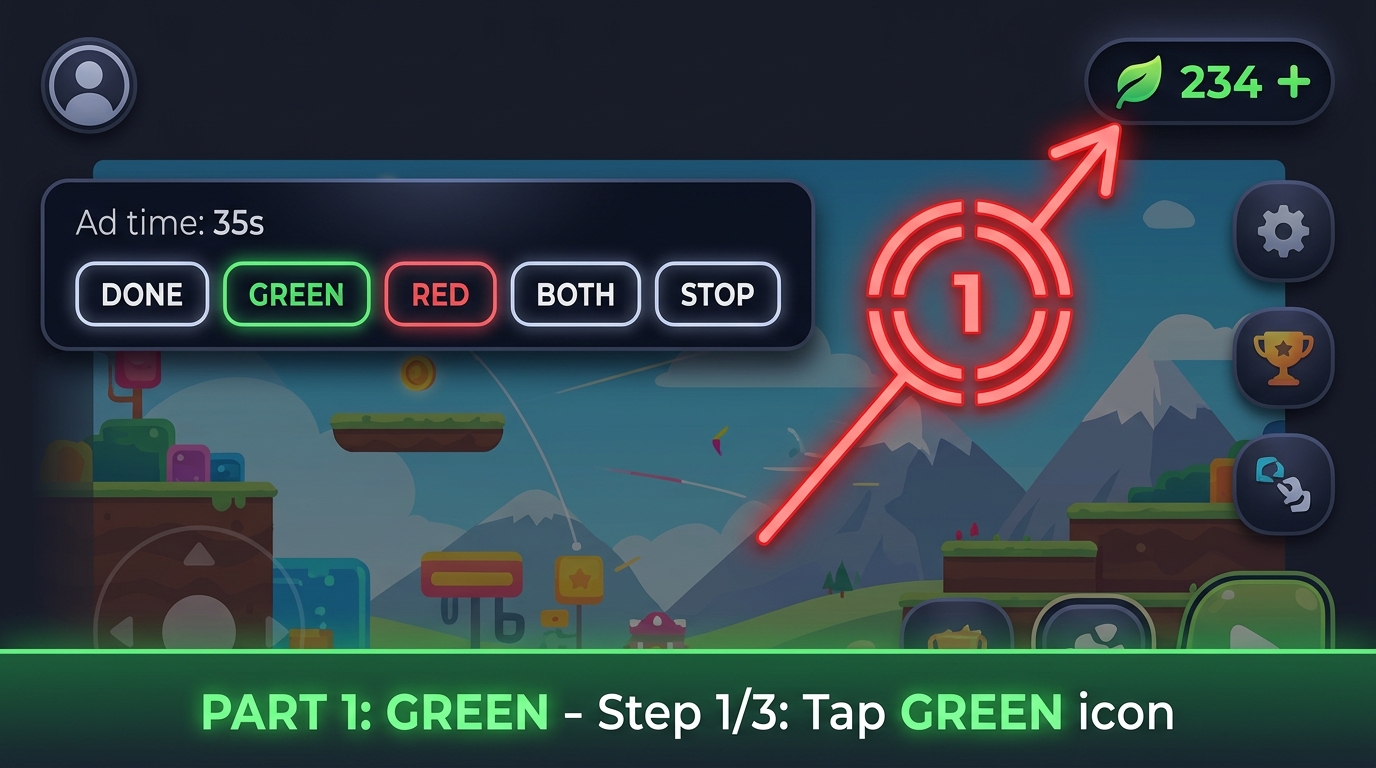
Choose GREEN (Condition/Rest), RED (Morale), or BOTH to run your daily recovery workflow sequentially with a single tap.

๐ŸŽฏ

One-Time Visual Calibration

Set your screen's tap positions once using the guided visual target markers. Coordinates are saved locally for your exact screen size.

๐ŸŽ›๏ธ

Compact Floating Control Bar

Start, switch modes, adjust wait timer, or press STOP instantly at any moment right from the non-intrusive floating bar.

๐Ÿ”’

100% On-Device & Safe

Simulates standard touch gestures only. Never reads private messages, never modifies external app files, and requires no root access.

Quick 3-Minute Setup Guide

Step-by-step visual instructions matching your language
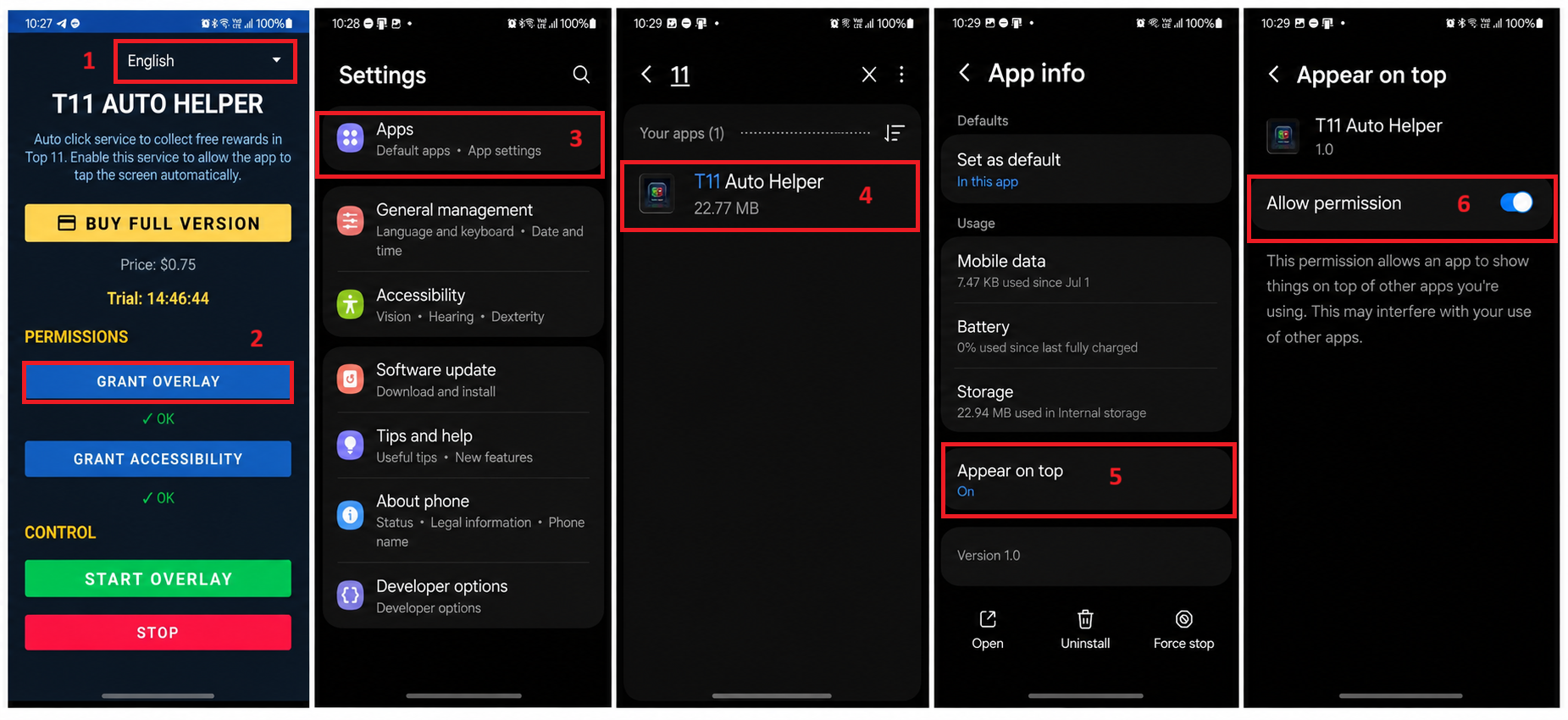
Step 1 Overlay Permission
STEP 1 โ€ข FLOATING BAR

Enable "Appear on Top" Permission

Allows T11 Auto Helper to display the compact Start/Stop control bar on screen.
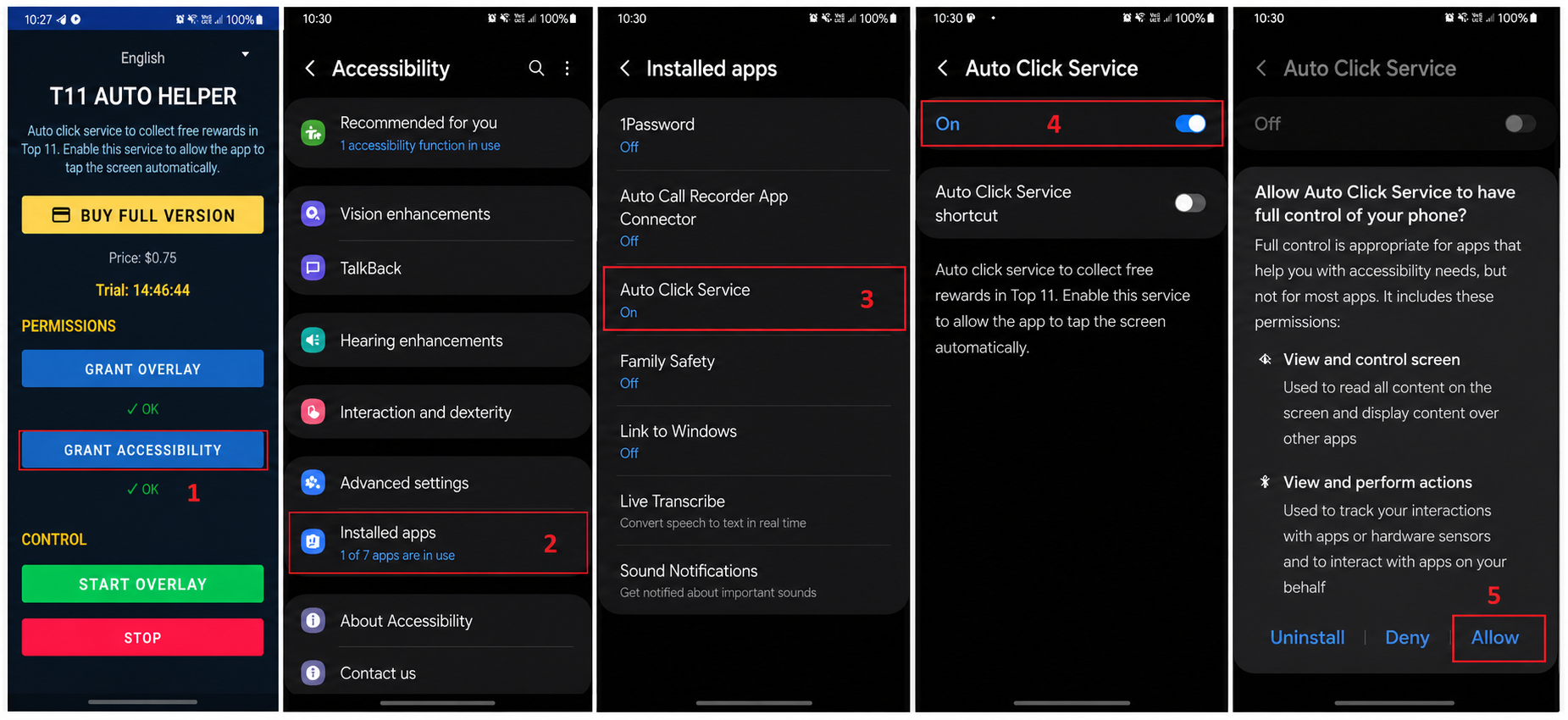
Step 2 Accessibility Permission
STEP 2 โ€ข GESTURE ENGINE

Enable Accessibility Touch Service

Turn on Auto Click Service inside Android Settings โ†’ Accessibility โ†’ Installed Apps.

Step 3 Green Calibration
STEP 3 โ€ข GREEN ROUTINE

Calibrate Green Condition Points

Drag the numbered target marker onto your screen's Green icon, Free button, and Close button.
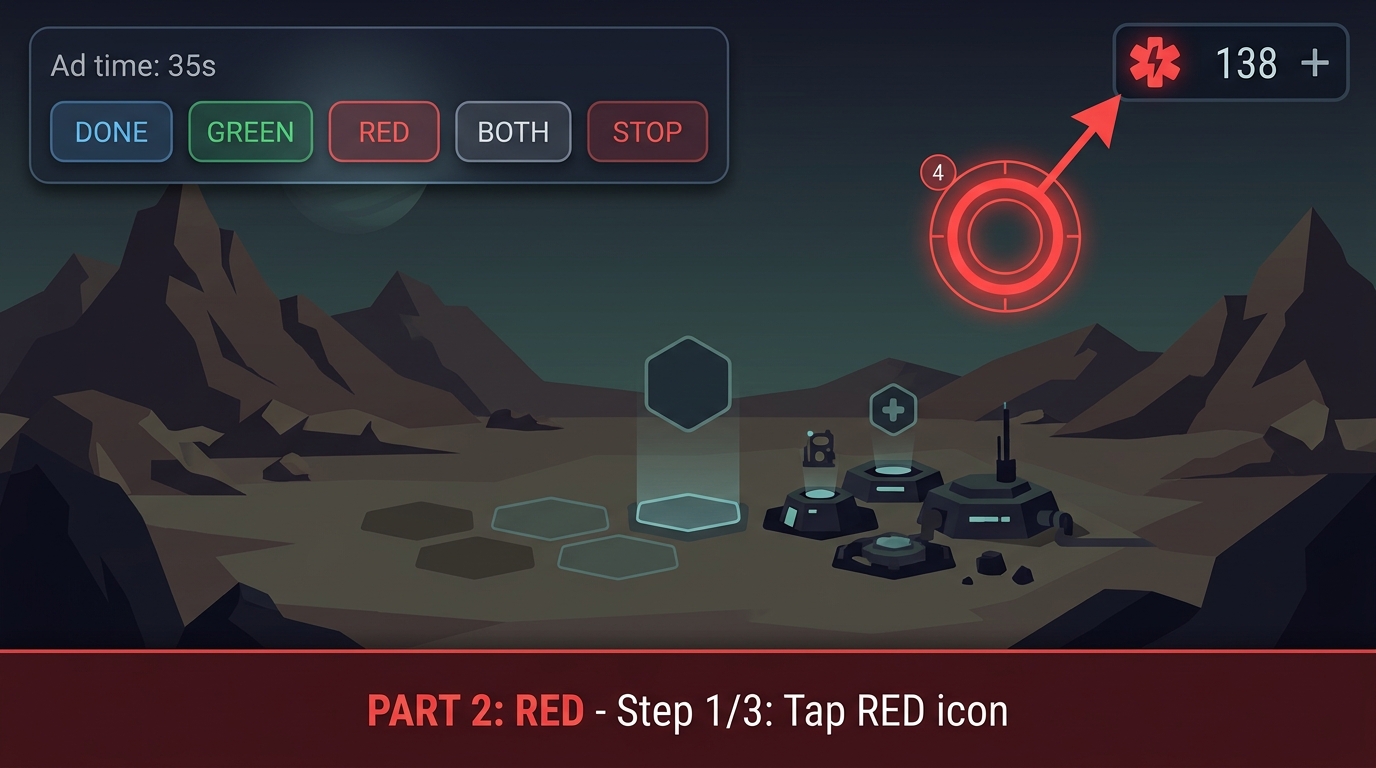
Step 4 Red Calibration
STEP 4 โ€ข RED ROUTINE

Calibrate Red Morale Points & Run

Save the Red Morale positions once, then tap GREEN, RED, or BOTH anytime you need.
๐Ÿ›ก๏ธ Accessibility Service & Privacy Disclosure

T11 Auto Helper is an independent Android productivity & gesture utility developed by Assist Gaming & Tech Studio. It uses the official Android AccessibilityService API solely to perform user-configured screen taps and countdown timers initiated explicitly by the user. It does not collect personal data, does not access accounts or files of other apps, and can be turned off at any time in Android Settings. Requires Android 11.0 or newer.

Ready to Try T11 Auto Helper on Android?

Download officially from Google Play Store. Includes free trial access โ€” setup takes under 3 minutes.

T11 Auto Helper
T11 Auto Helper
GET IT ON GOOGLE PLAY
โ–ถ Download Free Trial